How Restaurants in Chandigarh Can Grow Through Google Search and Maps
A practical guide for Chandigarh restaurants, cafes and cloud kitchens on winning "near me" searches: Google Business Profile, menus, photos, reviews, website basics and reservations.
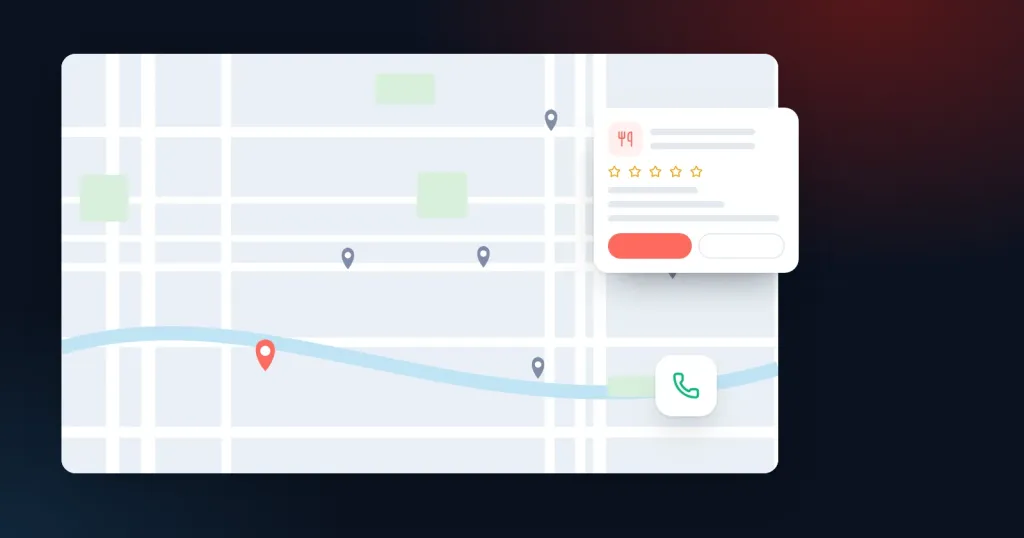
When someone in Chandigarh decides where to eat, the decision often happens in Google Maps within a few minutes. They search "north indian restaurant near me", "cafe sector 7" or "family dinner place with parking", scan the map, look at photos, glance at the rating and tap to call or get directions. Restaurants that are well presented in those few minutes get the table. Those that are not rarely know what they missed.
Social media builds awareness and loyalty, and we cover that separately in our post on social media marketing for restaurants. This article focuses on the moment of decision: Google Search and Maps.
How diners search for restaurants
Restaurant searches fall into a few patterns, and each needs something slightly different from your listing.
| Search type | Example | What helps you appear and win |
|---|---|---|
| Cuisine plus proximity | "south indian food near me" | Accurate primary category, cuisine mentioned in reviews and menu |
| Area or sector | "cafes in sector 35" | Correct address and pin, sector in address, local mentions |
| Occasion | "birthday party restaurant", "rooftop dinner" | Attributes, photos of the space, description, reviews mentioning occasions |
| Specific dish | "best butter chicken", "bubble tea" | Menu items as text, dish photos, reviews naming dishes |
| Brand name | Your restaurant's name | Complete profile, working links, accurate hours |
| Delivery | "late night delivery chandigarh" | Hours, order links, delivery attributes |
Get the Google Business Profile right first
Category and attributes
Choose the most specific primary category that describes the restaurant, such as a particular cuisine rather than just "Restaurant". Add secondary categories only for what you genuinely are: a bakery that also runs a cafe, for example. Then fill in the attributes Google offers for restaurants: dine-in, takeaway, delivery, outdoor seating, wheelchair access, parking, live music, vegetarian options and so on. These often decide whether you show up for occasion searches.
Hours that are actually right
Incorrect hours are one of the fastest ways to lose a diner and earn a bad review. Update special hours for festivals, match days or private events, and check that kitchen closing time and restaurant closing time are clear if they differ.
Menu
Add your menu to the profile, either with the menu editor or by linking to a menu page on your website. Keep prices current. A menu uploaded as a single photograph from two years ago frustrates people and can mislead them.
Photos that sell the experience
For restaurants, photos probably do more work than any other part of the profile. Diners want to know what the food looks like, what the space feels like and whether it suits their occasion.
- Signature dishes photographed in natural light, on your actual crockery.
- Interior shots at different times: a quiet lunch and a busy evening.
- The exterior and entrance, so people can find you in a busy market.
- Seating options: private areas, outdoor space, family tables.
- Menu board, bar or open kitchen if they are part of the experience.
Add new photos every few weeks, especially when the menu changes. Watch customer-uploaded photos too and report any that do not belong.
Reviews: the deciding factor for many diners
Diners read reviews to judge food quality, service, value and suitability for their group. Ask every table for a review in a simple, natural way: a small card with a QR code at billing, or a message with the review link after a delivery order. Never offer a free dessert or discount in return for a review; it is against Google's rules and can lead to removed reviews or worse.
Reply to reviews in a real voice. Thank people by mentioning what they enjoyed. For complaints about slow service or a cold dish, apologise specifically, explain what you have changed and invite them back. Future diners read these replies, and they notice when an owner cares.
Reviews that mention specific dishes and occasions also help you appear for those searches, which is another reason to ask all diners rather than a select few.
Your website still matters
Many restaurants rely only on delivery platforms and social profiles. A simple website of your own gives Google clear information, gives diners a direct way to book, and does not charge commission.
- Menu as HTML text, not only a PDF or image. Text menus load faster on mobile, are readable by search engines and can be updated easily.
- Clear calls to action: call, get directions, reserve a table, order online.
- Fast on mobile data. Large uncompressed food photos are the usual cause of slow restaurant sites.
- Restaurant structured data with name, address, cuisine, opening hours and menu link, following Google Search Central guidance.
- Pages for events, private dining or catering if these are real parts of your business.
Reservations and ordering links
Google can show reservation and order buttons on your profile when you use supported partners, and you can also add your own booking link. Decide which you prefer to push. Direct bookings and orders through your own system avoid commission and give you customer contact details, but some diners prefer the platforms they already use. Make sure whatever links appear actually work and lead to the correct outlet if you have more than one.
Multiple outlets across the Tricity
Restaurant groups and cloud kitchens with outlets in Chandigarh and nearby areas such as Mohali or Zirakpur need one profile per physical location, each with its own address, phone number and photos. On the website, give each outlet its own page with its specific hours, menu differences, parking notes and a map. Avoid linking every profile to the homepage; send each one to its outlet page.
Cloud kitchens without a dining area should check Google's guidelines carefully. Delivery-only kitchens can have profiles in some circumstances, but multiple brands operating from one kitchen are treated strictly, and misrepresenting them can lead to suspension.
Paid options, used sparingly
Google Ads can help at specific moments: launching a new outlet, promoting a festival menu or building bookings for private dining. For most restaurants, organic Maps visibility built on photos and reviews does the heavy lifting, and ads are a supplement rather than the main engine.
Illustrative example
Illustrative example. A cafe in a busy Chandigarh market has good food but a profile listed as "Restaurant", a menu photo from its launch, and hours that do not reflect its late weekend closing. Over one month it switches to the "Cafe" category, adds attributes for outdoor seating and Wi-Fi, uploads fresh photos of its best-selling dishes and the evening ambience, publishes its menu as text on its website, updates weekend hours, and starts a review QR card at billing. These are small changes, each of them within the owner's control.
Monthly restaurant checklist
- Hours and special hours correct for the coming month.
- Menu and prices up to date on the profile and website.
- New photos of dishes and the space uploaded.
- Every review replied to.
- Questions on the profile answered.
- Booking and order links tested.
- Calls and direction requests compared with last month in profile insights.
Key takeaways
- Most dining decisions happen in Google Maps, so treat your profile as your shopfront.
- Use a specific cuisine category and fill in every relevant attribute.
- Photos and reviews do most of the persuading; keep both fresh.
- Publish your menu as text on a fast, simple website with clear booking and order options.
- Give each outlet its own profile and page, and follow Google's rules for cloud kitchens.
We help restaurants and cafes with exactly this kind of work. See how we support the restaurant industry, or learn about our local SEO service for businesses that depend on Maps.
Frequently asked questions
Do restaurants need a website if they are on delivery apps?
Why does my restaurant not appear for "near me" searches?
Can I remove a negative review from my restaurant listing?
How often should a restaurant add photos to Google?
Run a restaurant or cafe in the Tricity? Ask us to review how your Google listing looks to hungry diners.
Book a free consultation — we'll look at your situation and suggest the next practical step.